



How to Configure Your Sigenergy Battery for Australia’s Solar Sharer Offer (SSO)
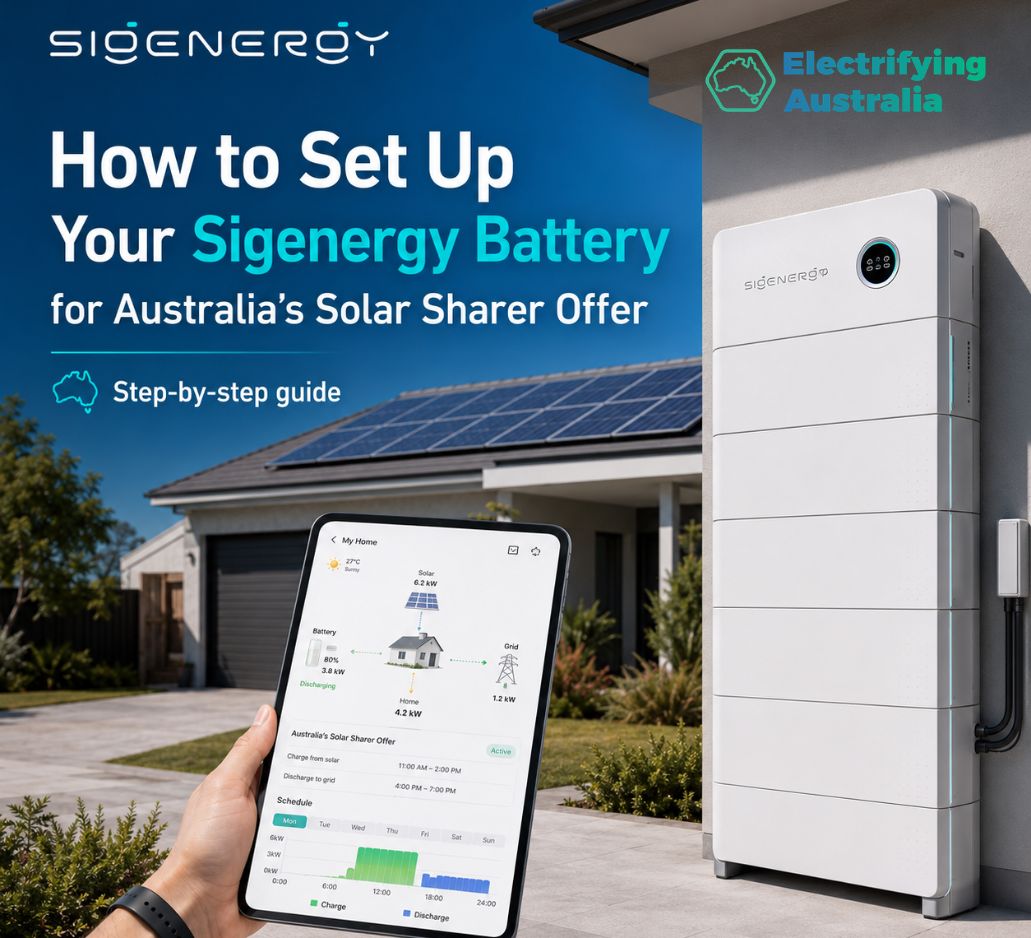
Australia’s revolutionary Solar Sharer Offer (SSO) is officially live, providing households across New South Wales, South Australia, and South East Queensland with 3 hours of 100% free grid electricity every single day.
If you own a Sigenergy SigenStor home battery system, you have access to one of the most advanced energy management platforms on the market. Instead of just shifting your manual household chores to the midday slot, you can program your Sigenergy system to act like a giant sponge—soaking up free grid electricity during the day, storing it, and deploying it at night to completely eradicate your evening peak utility bill.
Using the official screenshots from the mySigen app interface, here is the ultimate step-by-step configuration guide to automating your savings.
Step 1: Navigate to Energy Management Settings
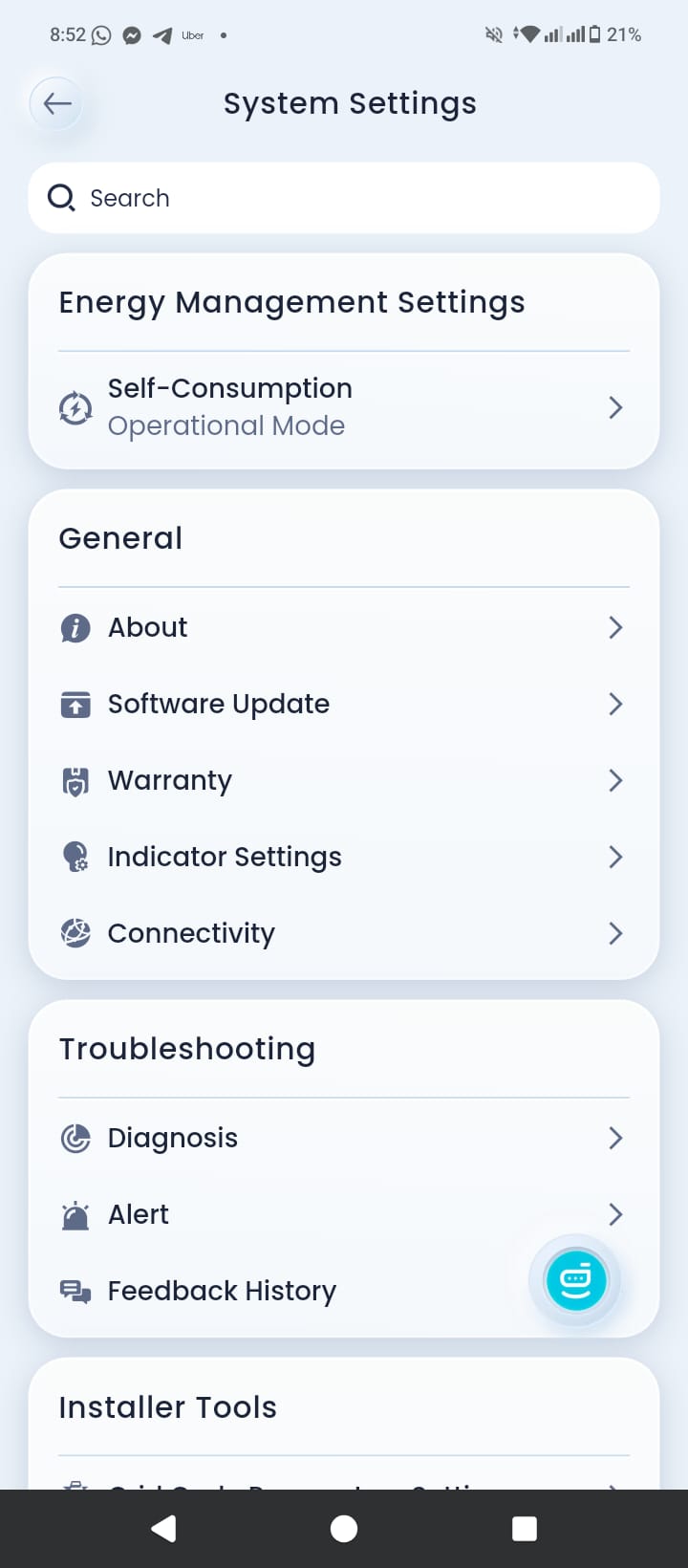
To change how your SigenStor system handles power distribution, you need to open the operational mode configuration panel.
-
Open your mySigen App and tap on the main menu to open System Settings.
-
At the very top, under the Energy Management Settings section, locate the Self-Consumption / Operational Mode row and tap on it.
Step 2: Select Time-Based Control Mode
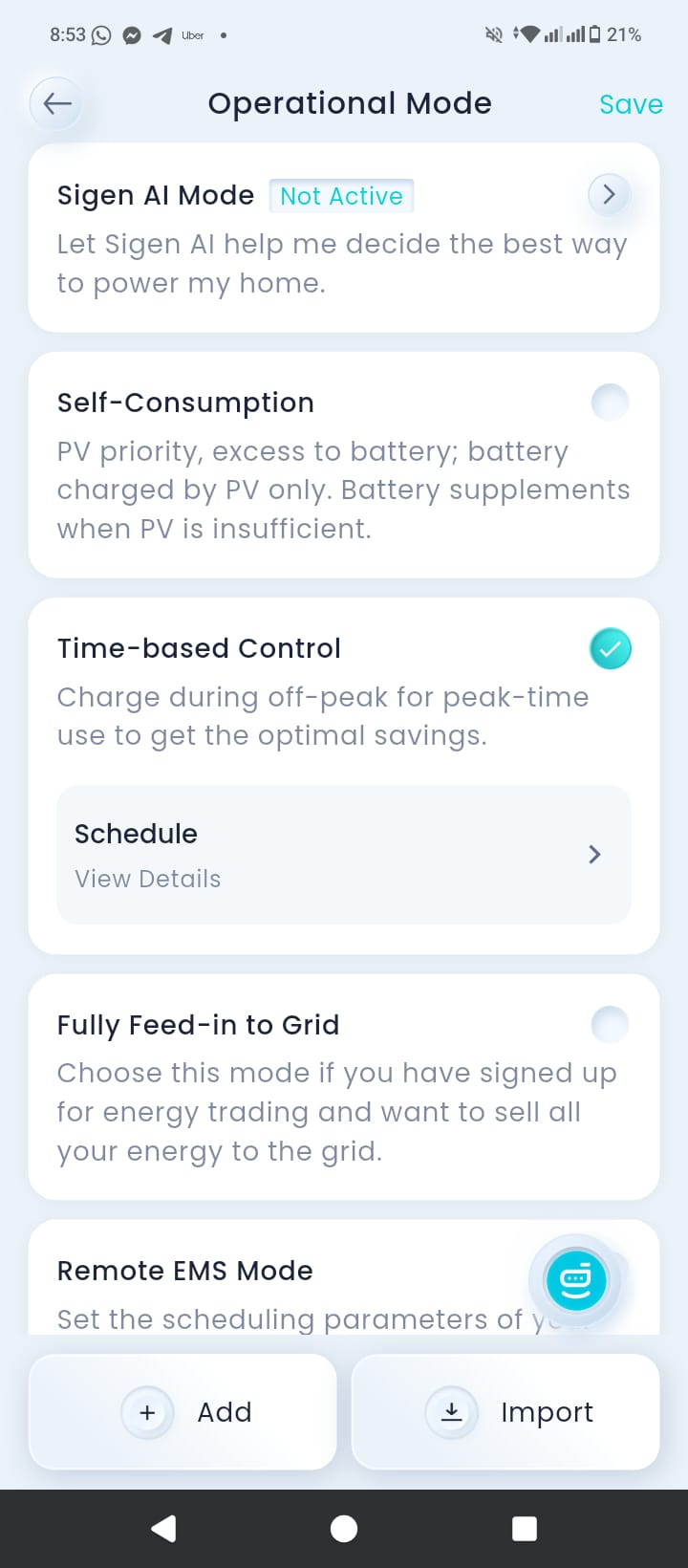
By default, most systems run on a basic solar self-consumption cycle. We need to switch this to a schedule-driven profile.
-
In the Operational Mode screen, look past the Sigen AI Mode and Self-Consumption options.
-
Locate Time-based Control and click the checkbox on the right side to activate it. (This mode allows the system to charge during off-peak periods for peak-time use to lock in optimal savings).
-
Underneath Time-based Control, tap on the Schedule / View Details row to open the scheduling engine.
Step 3: Open Manual Scheduling
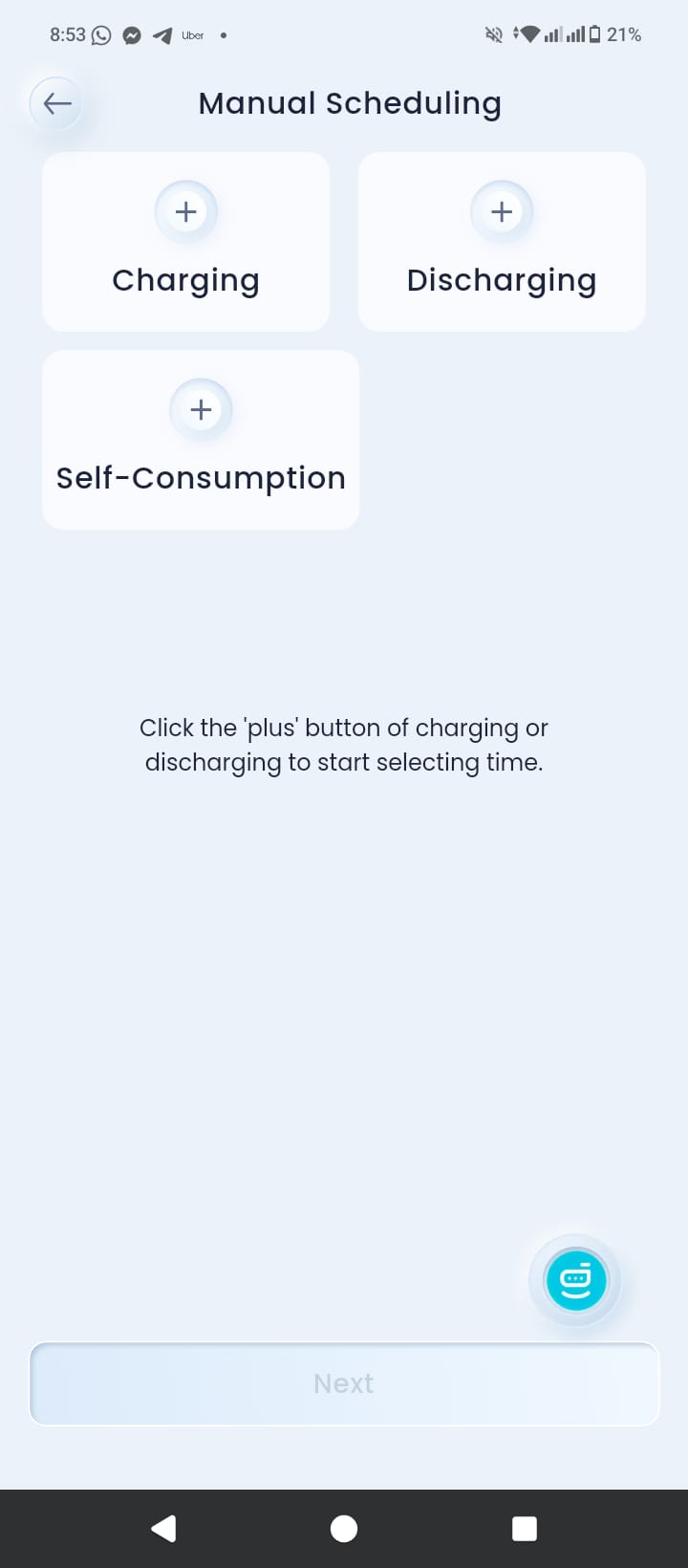
The system will now allow you to set customized instructions for charging and discharging.
-
Once you enter the scheduling interface, you will see three primary command options at the top: + Charging, + Discharging, and + Self-Consumption.
-
To command your battery to pull power from the grid during the free window, tap on the + Charging button.
Step 4: Program the Free 3-Hour SSO Charging Window
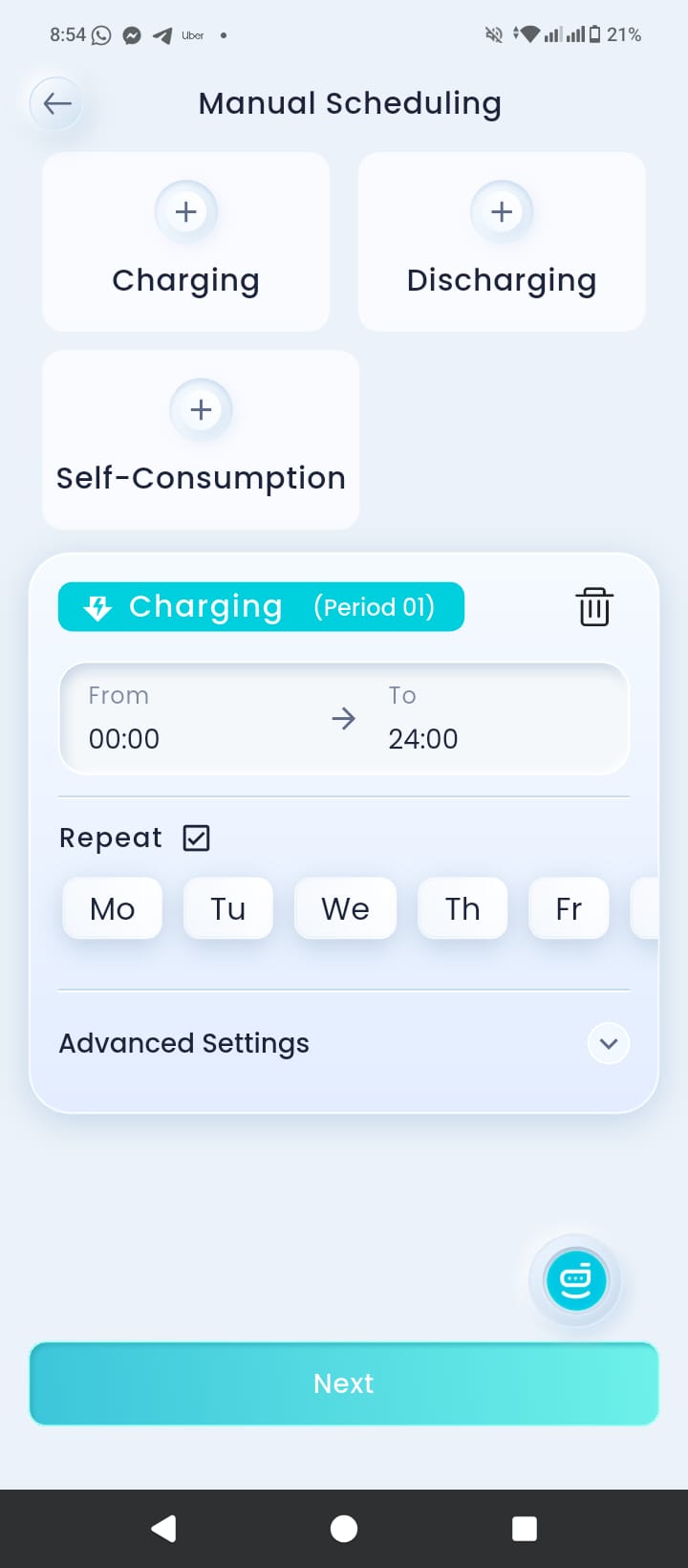
Now, specify the precise time window and the days of the week for the system to execute the automated grid-charging cycle.
-
In the Charging (Period 01) block, tap on the From / To time fields.
-
Set the precise time range based on your local Australian region:
-
NSW & SE QLD: Set from 11:00 to 14:00.
-
South Australia: Set from 12:00 to 15:00.
-
-
Set the Repeat Rule: Check the box next to Repeat and select the days of the week. Because the Solar Sharer Offer applies every single day, ensure all days (Monday through Sunday) are highlighted.
-
Click the blue Next button at the bottom of the screen, and then tap Save in the top right corner of the final screen to lock in the configuration.
Enjoy Fully Automated, $0 Evening Power Bill
Once these settings are saved in your mySigen app, your Sigenergy system will run autonomously. Every single day, the system will open its channels to draw down up to 24 kWh of completely free power in the middle of the day, store it inside your premium battery stack, and automatically shift over to battery backup when evening rates spike.
Set up your mySigen app today and watch your grid dependency disappear!
Subscribe to get special offers & updates.
Go To Top
142 Gipps Road, Smithfield, Sydney, 2164
1800 788 638
info@electrifyingaustralia.com.au


Electrifying Australia acknowledges Aboriginal and Torres Strait Islander peoples as the Traditional Custodians of the land on which we operate. We pay our respects to Aboriginal and Torres Strait Islander Elders past, present, and emerging.