




How to Configure Your Sungrow Battery for Australia’s Solar Sharer Offer (SSO)
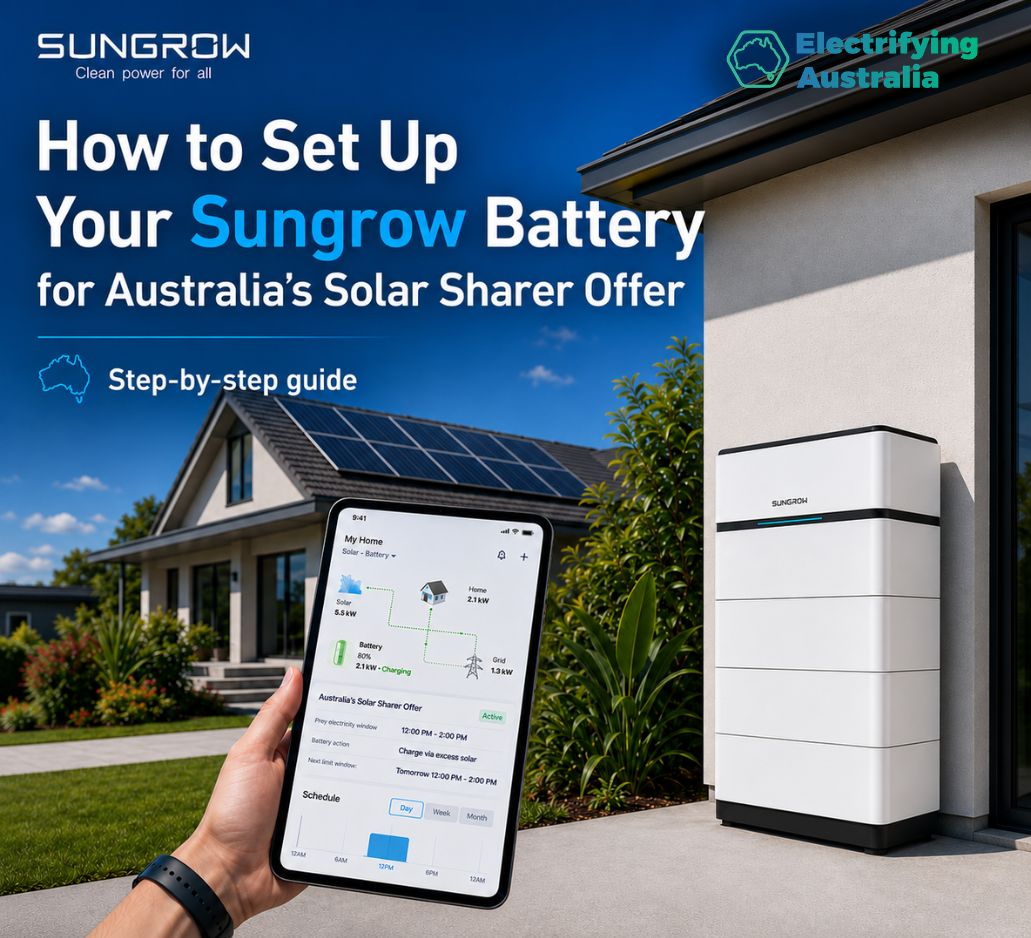
Australia’s Solar Sharer Offer (SSO) is entirely reshaping home energy economics. Across New South Wales, South Australia, and South East Queensland, homeowners now receive 3 hours of 100% free electricity every single day.
If you own a popular Sungrow Hybrid Inverter and SBR Battery setup, you have the ultimate tool to exploit this deal. Instead of rushing to run all your heavy appliances manually during the day, you can program your Sungrow system via the iSolarCloud App to force-charge your battery stack straight from the grid for free. Once the midday window shuts, your home runs completely on stored energy throughout the expensive evening peak.
Following the exact layout of the Sungrow configuration interface, here is the step-by-step guide to locking in this daily energy arbitrage hack.
Step 1: Locate Your Energy Storage System
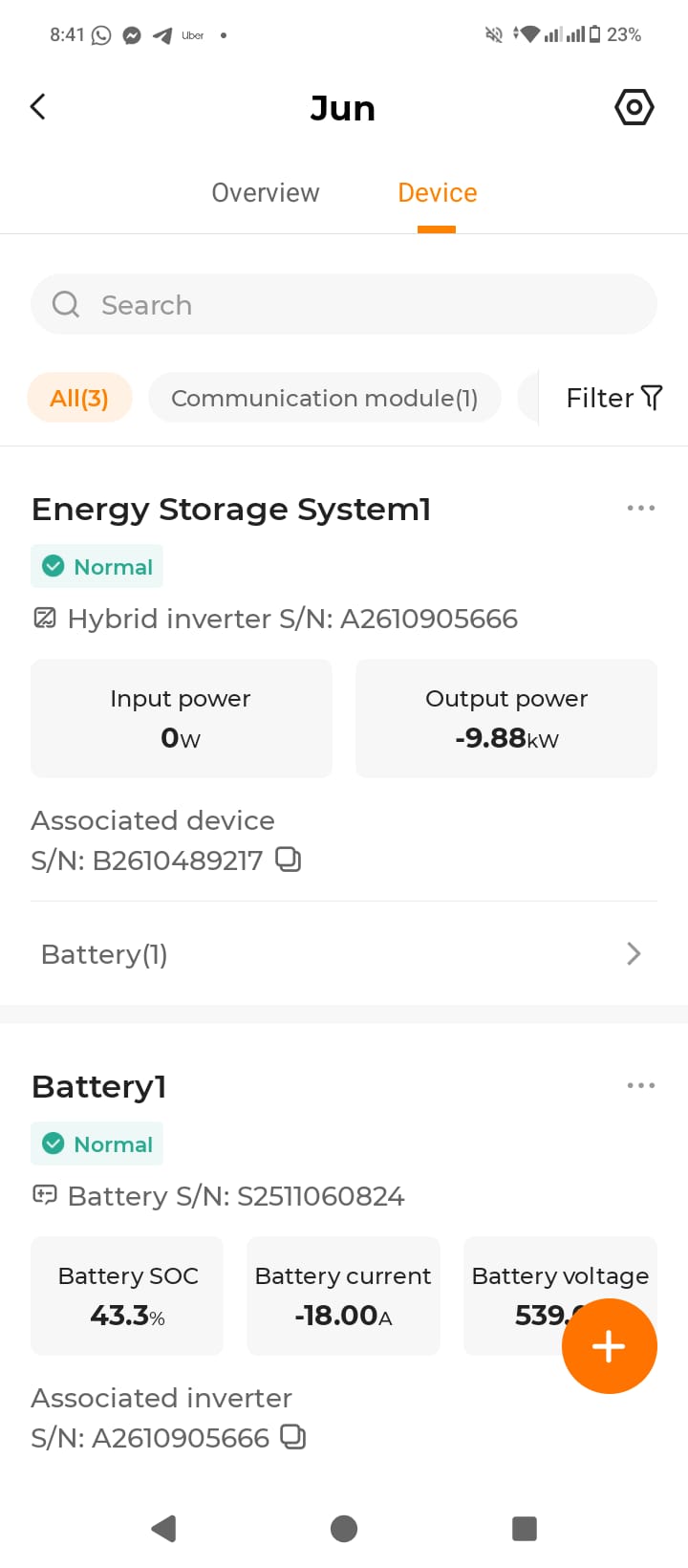
To modify advanced operational profiles, you need to open your system parameters panel under your hardware device list.
-
Open your iSolarCloud App and head to the Device tab.
-
Under the device directory, locate your Energy Storage System showing your hybrid inverter and associated battery pack (e.g., Battery1).
-
Tap the advanced options gear or setting tabs at the top right to access Energy Storage System Settings.
Step 2: Open Energy Management Parameters
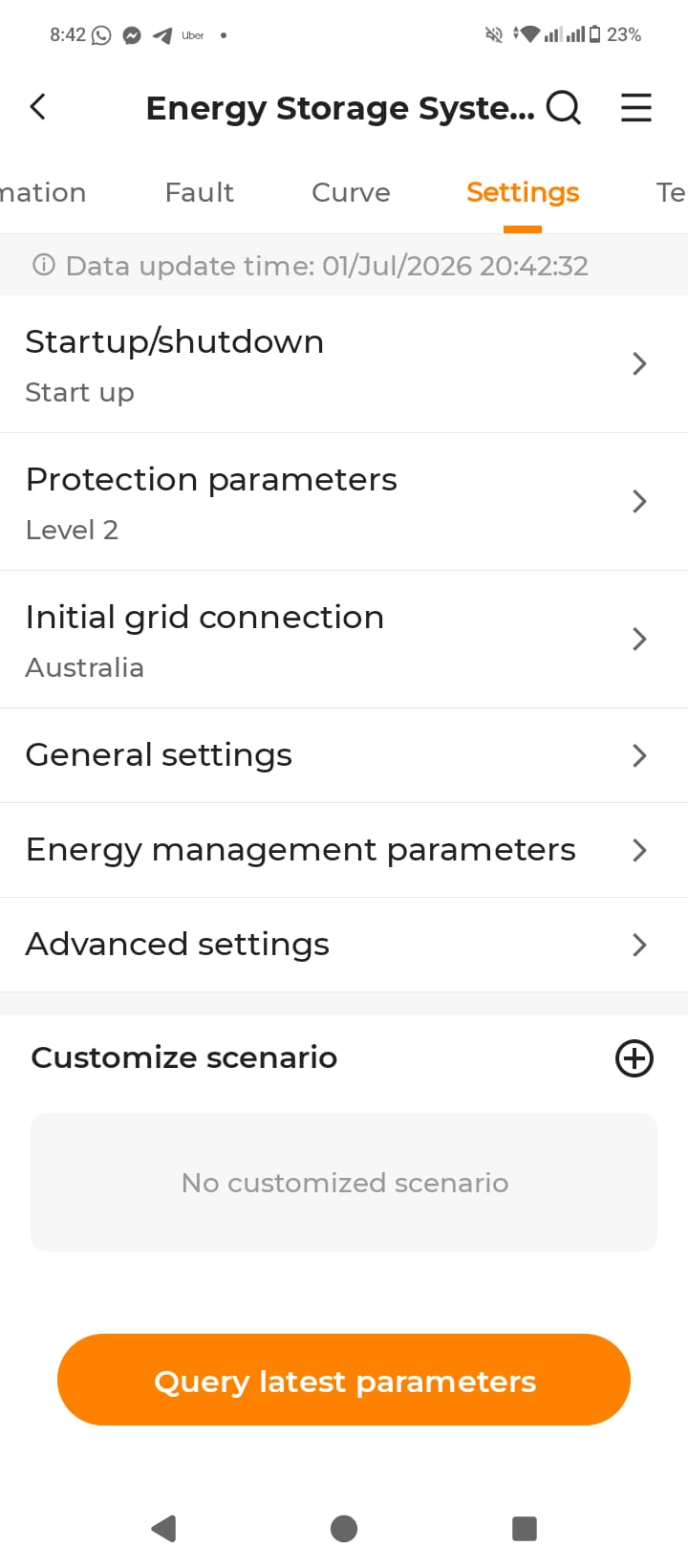
Once inside the system settings, you need to navigate through the protective limits directly to the behavioral parameters.
-
In the settings menu, scroll down past Startup/shutdown and Protection parameters.
-
Tap on the row labeled Energy management parameters to open the charging controller schedules.
Step 3: Program the Forced Charging Duration & Targets
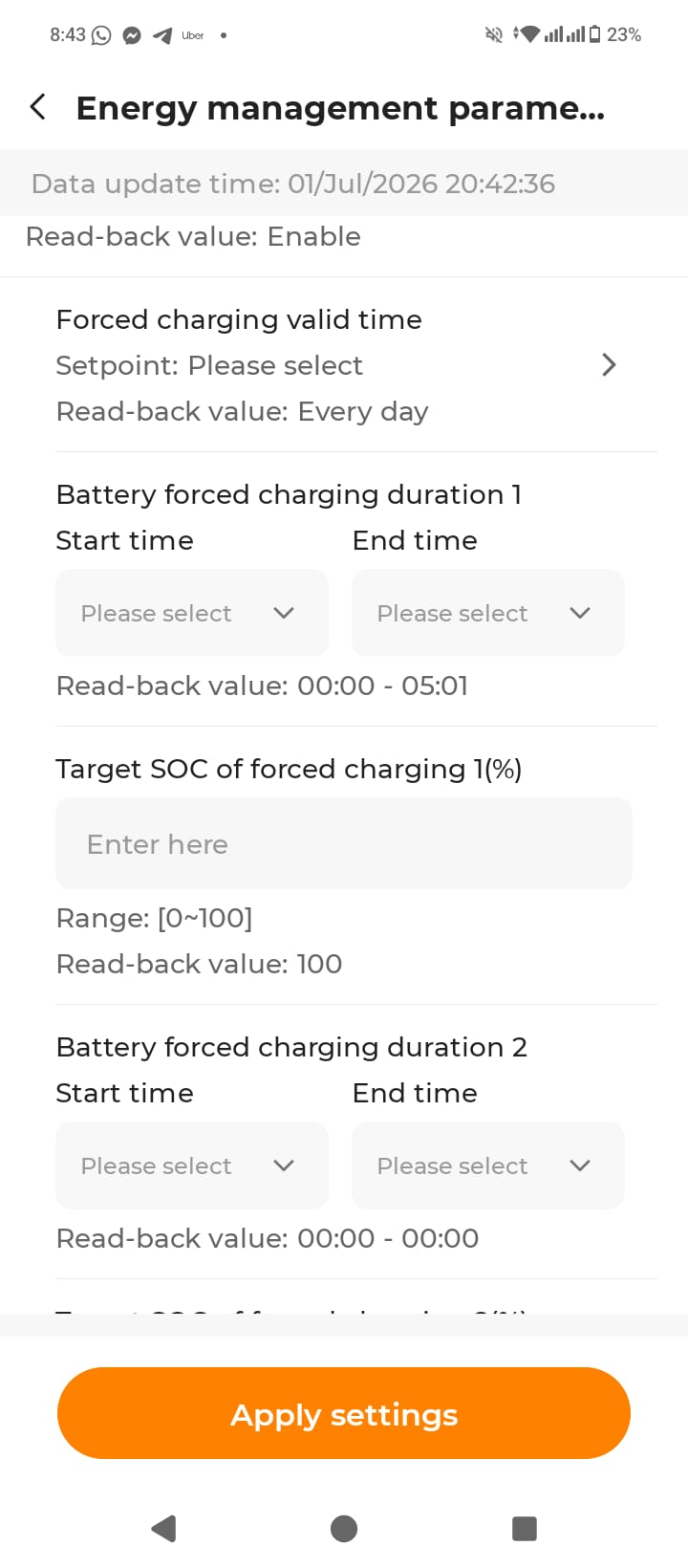
The Energy management parameters control panel allows you to configure exact timelines where the grid is instructed to aggressively fill up your home storage cells.
-
Forced Charging Valid Time: Set this to Every day or select the option to ensure this schedule loops continuously across the entire year.
-
Configure Battery Forced Charging Duration 1: Tap into the fields to program the start and end times to perfectly capture your local regional free SSO window:
-
NSW & SE QLD: Set Start time to
11:00and End time to14:00. -
South Australia: Set Start time to
12:00and End time to15:00.
-
-
Set Target SOC of Forced Charging 1 (%): Type
100into this box. This instructs the inverter to safely pull power from the grid until your Sungrow battery bank reaches a perfect 100% full capacity status during the 3-hour window. -
Review your durations, ensure Battery forced charging duration 2 remains empty or zeroed out, and tap the orange Apply settings button at the bottom of the screen.
Set, Forget, and Wipe Out Your Power Bill
Once these parameter codes are deployed onto your Sungrow system, your setup handles everything else automatically. It acts as an autonomous digital vault—absorbing massive amounts of free power while it costs nothing, holding onto it securely, and keeping your household off the expensive peak grid late into the night.
Update your Sungrow configuration parameters today to take full advantage of this year-round solar abundance program!
Subscribe to get special offers & updates.
Go To Top
142 Gipps Road, Smithfield, Sydney, 2164
1800 788 638
info@electrifyingaustralia.com.au


Electrifying Australia acknowledges Aboriginal and Torres Strait Islander peoples as the Traditional Custodians of the land on which we operate. We pay our respects to Aboriginal and Torres Strait Islander Elders past, present, and emerging.