




How to Configure Your Tesla Battery for Australia’s Solar Sharer Offer (SSO)
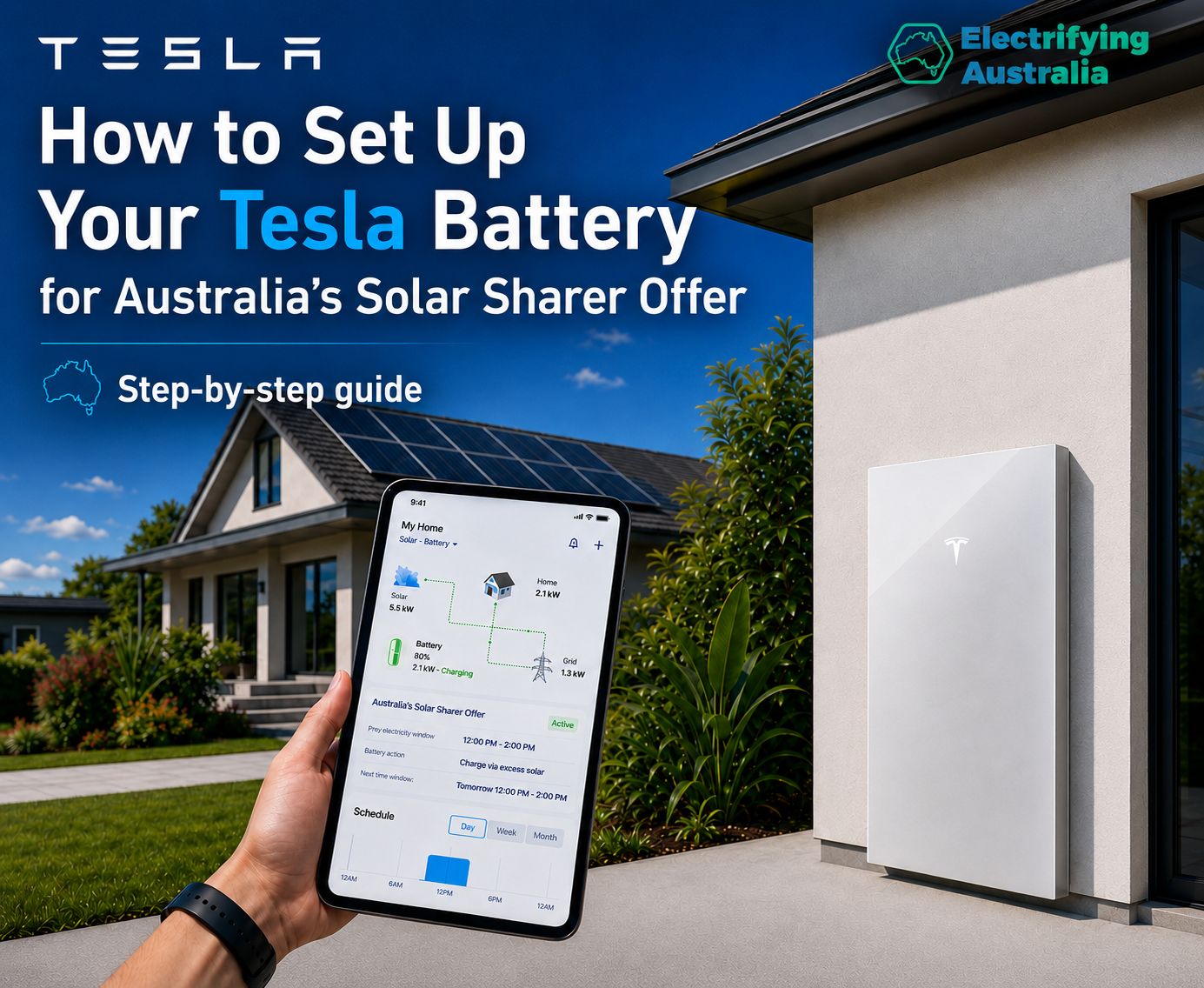
Australia’s Solar Sharer Offer (SSO) has completely rewritten the rules of home energy management. Across New South Wales, South Australia, and South East Queensland, households can now tap into 3 hours of 100% free grid electricity every single day.
If you own a Tesla Powerwall, you don’t have to stress about manually shifting your heavy appliance usage into that midday window. By optimizing your settings in the official Tesla app, you can program your Powerwall to automatically absorb free grid power when it costs nothing, bottle it up, and use it to power your entire home during expensive evening peak periods.
Following the exact layout of the Tesla app interface, here is the step-by-step guide to configuring your Powerwall ecosystem for maximum daily savings.
Step 1: Access the Main Settings Menu
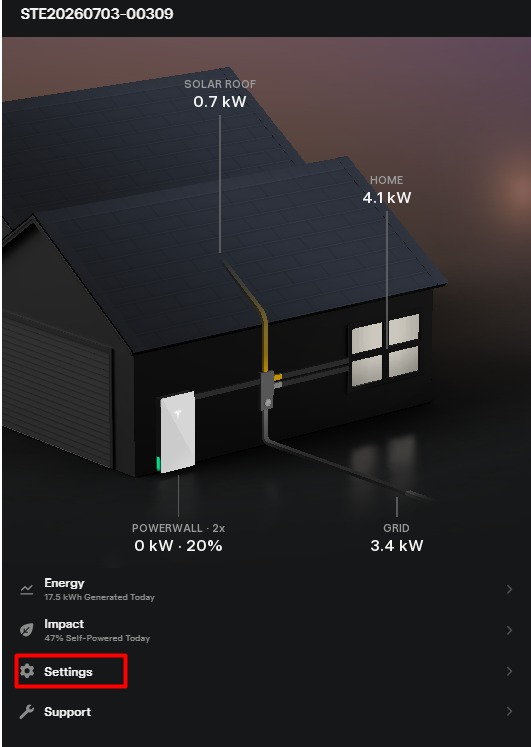
To adjust how your Tesla Powerwall ecosystem handles grid energy and electricity pricing, you first need to navigate to the backend management panel.
-
Open your Tesla App and make sure you are on your home energy dashboard showing your real-time power flow.
-
Scroll to the bottom of the screen and tap on the Settings gear row (highlighted in red in the screenshot).
Step 2: Open the Utility Rate Plan Configuration
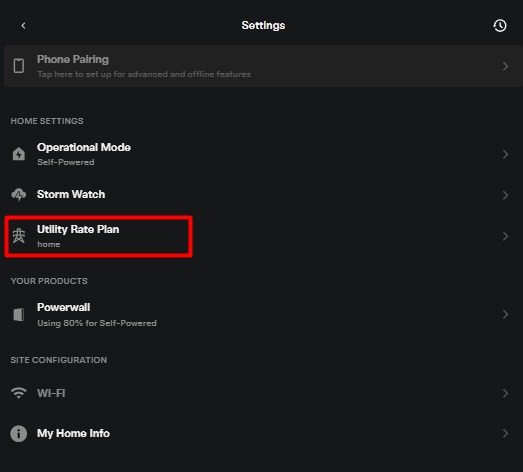
The Powerwall relies heavily on your local utility framework to make automated charging decisions. You need to give it accurate data about your electricity tariff structure.
-
Inside the main settings panel, look under the Home Settings section.
-
Locate and tap on Utility Rate Plan (highlighted in red in the screenshot). This is where you tell your Powerwall when electricity is free and when it is expensive.
Step 3: Configure Your Custom Tariff and Pricing Summary
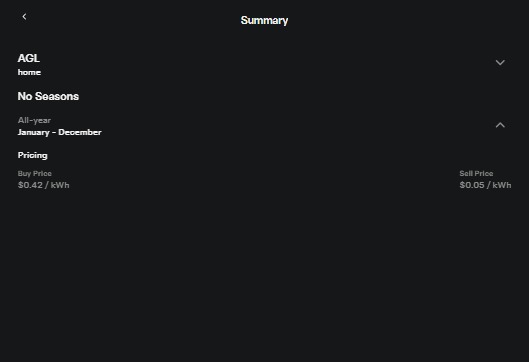
Now, you need to map your provider's specific pricing information so the Powerwall understands the year-round structure of the Solar Sharer Offer.
-
Set Up the Season Rule: In the plan structure, select No Seasons or choose All-year (January - December) since the SSO is a permanent, year-round program.
-
Input Peak Buy/Sell Rates: * Under the normal Peak or standard pricing blocks, enter your retail Buy Price exactly as it appears on your utility bill (e.g., $0.42/kWh as shown in the summary screenshot).
-
Set your Sell Price (Feed-in Tariff) to reflect your actual plan rates (e.g., $0.05/kWh).
-
-
Program the Free SSO Charging Window: Create or adjust a designated off-peak/super off-peak window to precisely match the 3-hour free slot for your region:
-
NSW & SE QLD: Set the time range from 11:00 AM to 2:00 PM.
-
South Australia: Set the time range from 12:00 PM to 3:00 PM.
-
Set the Buy Price for this specific 3-hour window to $0.00 to indicate it is entirely free electricity.
-
-
Save your changes and ensure your operational mode is set to Time-Based Control (Cost-Saving mode).
Sit Back and Watch Your Powerwall Save You Thousands
Once these parameters are saved into your Tesla App, the Powerwall's advanced algorithm takes full control. Every single day during the designated midday window, your system will prioritize charging itself straight from the grid using 100% free energy. When the sun goes down and peak grid prices skyrocket, your Powerwall will seamlessly step in to run your home for zero cost.
Update your Tesla app settings today to turn your Powerwall into the ultimate automated savings machine!
Subscribe to get special offers & updates.
Go To Top
142 Gipps Road, Smithfield, Sydney, 2164
1800 788 638
info@electrifyingaustralia.com.au


Electrifying Australia acknowledges Aboriginal and Torres Strait Islander peoples as the Traditional Custodians of the land on which we operate. We pay our respects to Aboriginal and Torres Strait Islander Elders past, present, and emerging.