




How to Set Up Your Anker SOLIX Battery for Australia’s Solar Sharer Offer
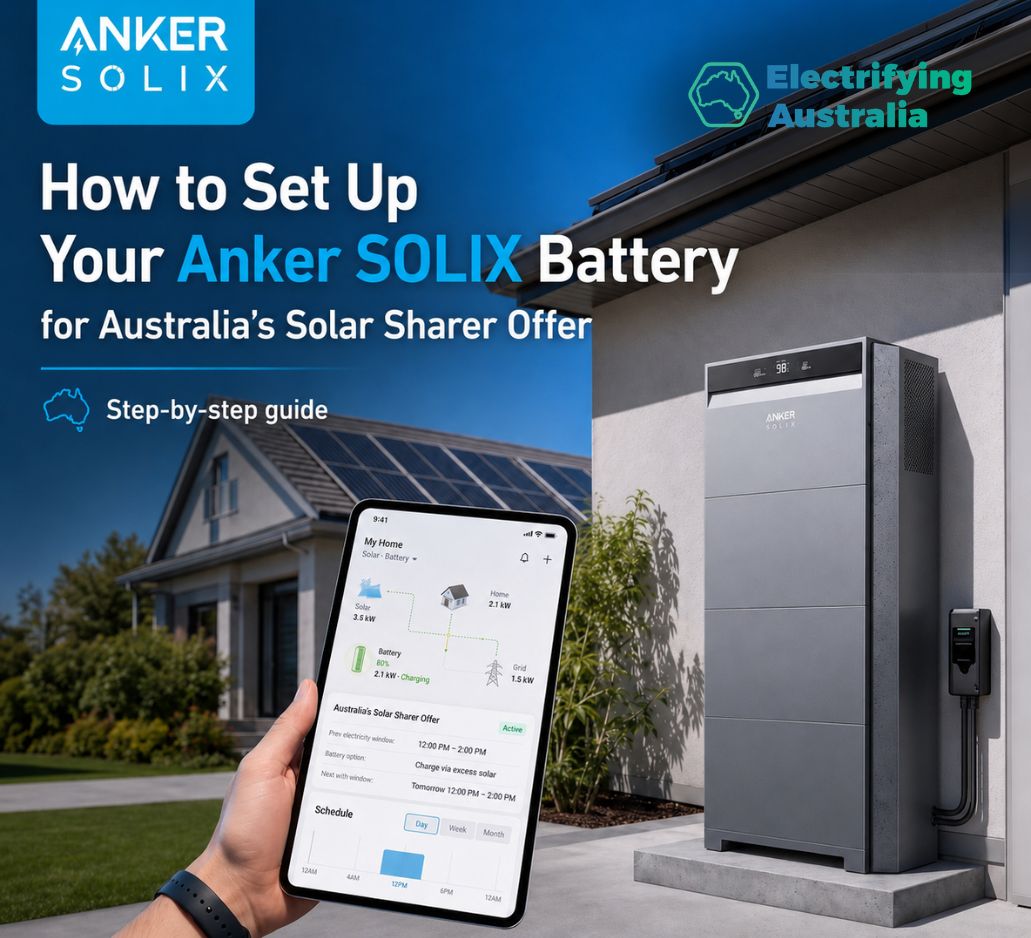
With the Solar Sharer Offer (SSO) officially live across New South Wales, South Australia, and South East Queensland, households now have access to 3 hours of 100% free electricity every single day.
But simply running appliances during the day isn't the most efficient strategy. If you own an Anker SOLIX X1 or Solarbank system, you can use the app to capture this free grid electricity, bottle it up, and deploy it at night to completely wipe out your expensive evening peak electricity bills.
Based on the official Anker SOLIX user interface, here is the exact step-by-step app setup guide to lock in your savings.
Step 1: Access the Utility Rate Plan Menu
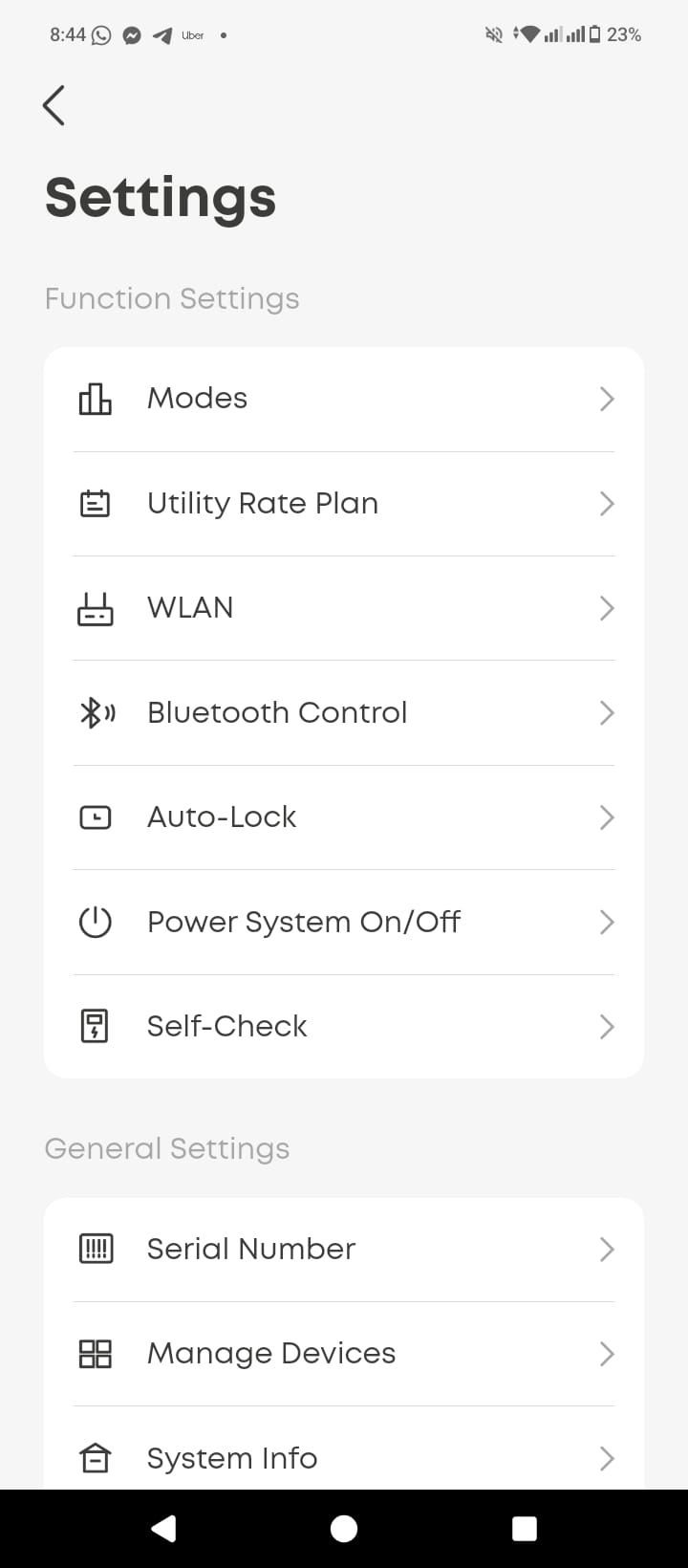
To teach your battery exactly when electricity is free and when it is expensive, you must first navigate to the correct settings panel.
-
Open your Anker SOLIX App and tap the Settings gear icon.
-
Under the Function Settings menu, locate and tap on Utility Rate Plan.
Step 2: Configure the Time Bands (Super Off-Peak)
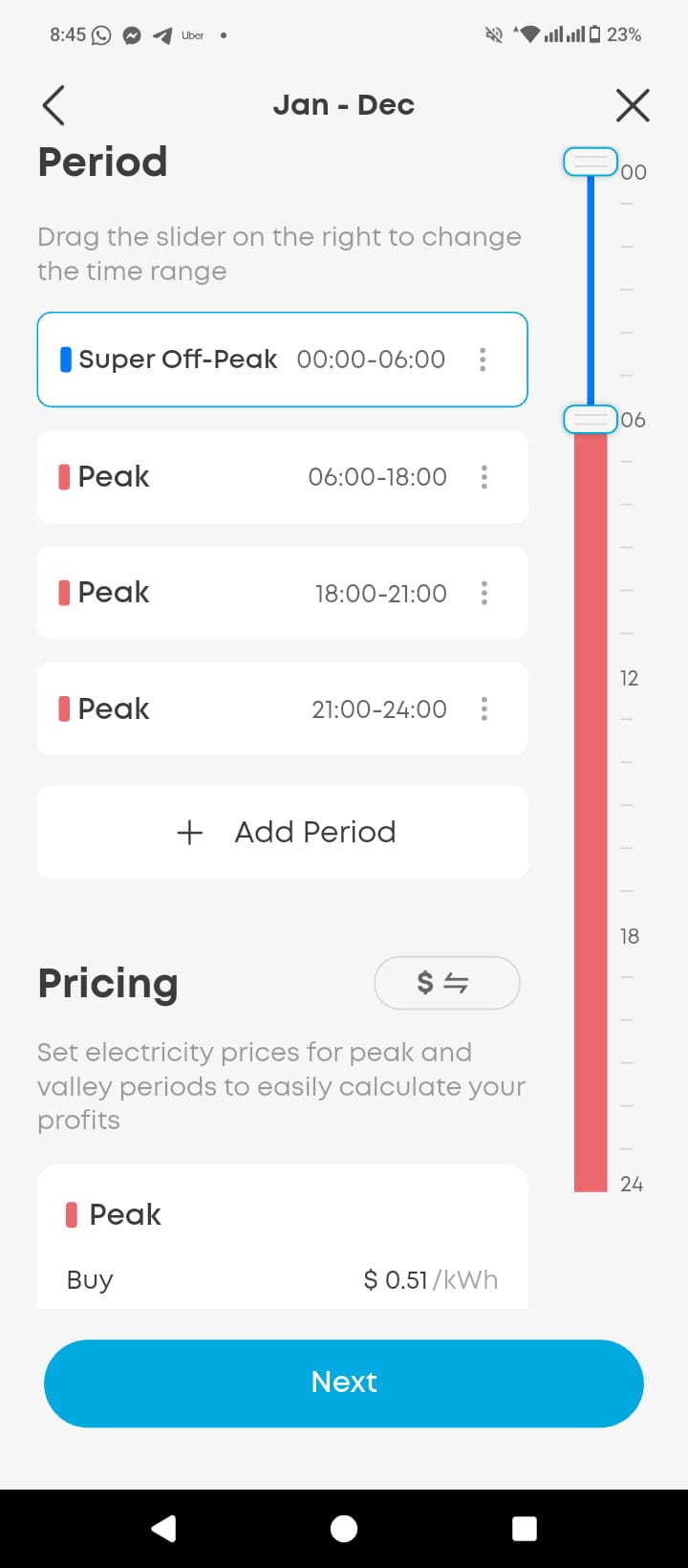
Next, you need to program your daily time slots. Because the Solar Sharer Offer is a permanent program, ensuring the top of your screen reads Jan - Dec means these rules will apply automatically year-round.
-
Tap on the Super Off-Peak period row. This is the designated slot we will use for the free midday window.
-
Use the vertical slide bar on the far right of the screen to precisely map your local region's free hours:
-
NSW & SE QLD: Set the Super Off-Peak slider to 11:00–14:00.
-
South Australia: Set the Super Off-Peak slider to 12:00–15:00.
-
-
Set all other durations of the day to Peak (e.g., 06:00–11:00, 18:00–21:00, 21:00–24:00). This tells the system that the midday window is the absolute priority slot for grid charging.
Step 3: Teach the Battery About Pricing
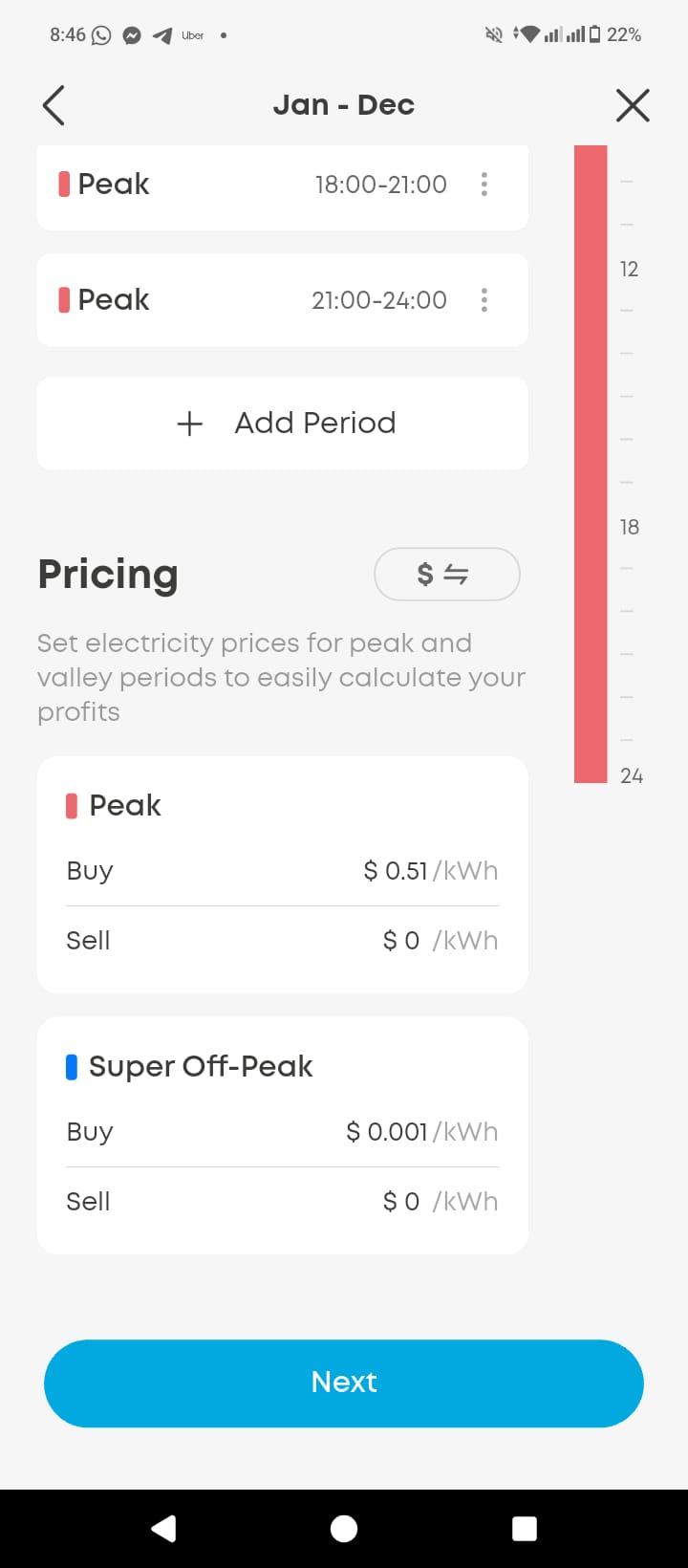
Scroll down to the Pricing section on the same screen to input your specific utility financial metrics. This allows the system to accurately calculate your true profits and savings.
-
Set Up the Peak Rates:
-
Under the Peak block, set your Buy price to match your standard electricity rate from your latest bill (e.g., $0.51/kWh as shown in the screenshot).
-
Set the Sell price to $0/kWh to ensure you do not accidentally discharge energy during high-cost intervals.
-
-
Set Up the Super Off-Peak (Free Window) Rates:
-
Go to the Super Off-Peak block. Because the Anker system does not allow a value of exactly zero, you will use a smart digital workaround: enter a Buy price of $0.001/kWh.
-
Set the Sell price to $0/kWh. This ensures your system holds onto 100% of the captured free energy instead of exporting it back to the grid.
-
-
Review your configured numbers and tap the blue Next button at the bottom of the screen to save your settings.
Set, Forget, and Monitor Your Savings
Once this is locked into your Anker SOLIX profile, the system handles the rest autonomously. Every day, your home battery will open its gates to soak up free grid power during midday solar peak abundance, keeping your home powered for $0 well into the night. Keep an eye on your dashboard over the next few days to watch your automated savings grow!
Prefer a visual guide? Watch the official step-by-step video walk-through below to see exactly how to navigate these Anker SOLIX app settings:
https://www.linkedin.com/feed/update/urn:li:activity:7477873607872983041/
Subscribe to get special offers & updates.
Go To Top
142 Gipps Road, Smithfield, Sydney, 2164
1800 788 638
info@electrifyingaustralia.com.au


Electrifying Australia acknowledges Aboriginal and Torres Strait Islander peoples as the Traditional Custodians of the land on which we operate. We pay our respects to Aboriginal and Torres Strait Islander Elders past, present, and emerging.