




Redback Inverter Wi-Fi Configuration
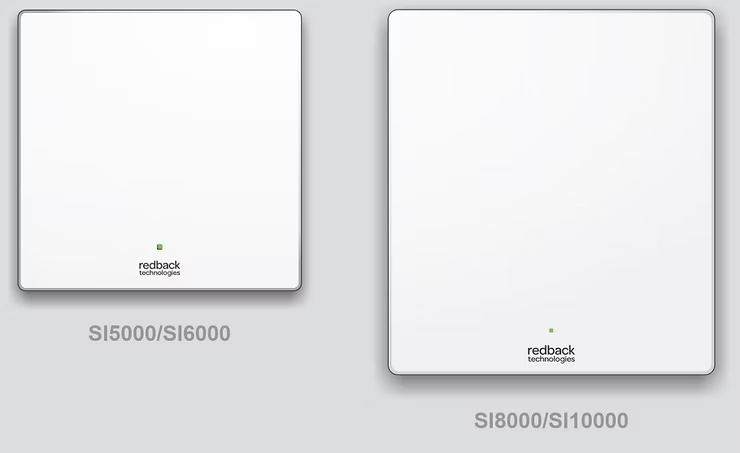
If your Redback Inverter seems 'offline' or disconnected, this article will guide you in reconnecting your Redback Inverter Wi-Fi.
-
Go to your inverter. Ensure your home network signal is Good or better at this location.
-
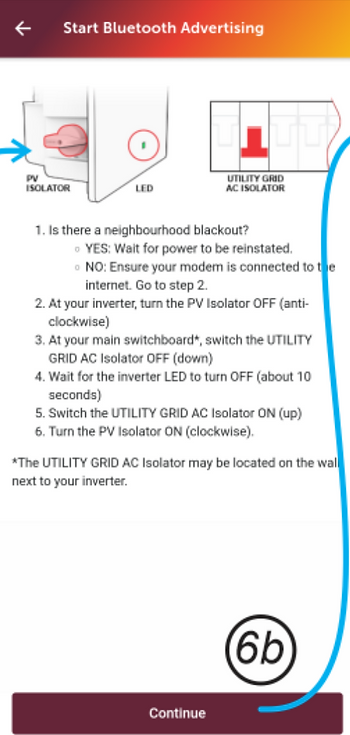
Shutdown and restart your system
-
Wait for the status LED to begin flashing continuously, indicating Bluetooth is advertising.
-
On your device, open MyRedback and login. Touch the Hamburger to display the flyout menu.

5. Select Network Connection. Note your system status and select Change Network.

6. You may be notified to start Bluetooth—follow the on-screen instructions; otherwise, touch Bluetooth LED Flashing to continue.

7. Select your Wi-Fi network from the list, Enter your Password if asked, and touch Connect. A success message will appear.
8. Wait two minutes, then confirm onboarding success. On the MyRedback app, check that data is refreshing every 20 seconds. On the Portal, check that your system is online and refreshing every 60 seconds.
9. If onboarding fails, try again or contact Redback Customer Support for help.
Get Exclusive 15% Discount On Your First Purchase
142 Gipps Road, Smithfield, Sydney, 2164
+1800 788 638
support@electrifyingaustralia.com.au
© 2026 by Electrifying Australia Pty Ltd (ABN 16 665 322 967)


Electrifying Australia acknowledges Aboriginal and Torres Strait Islander peoples as the Traditional Custodians of the land on which we operate. We pay our respects to Aboriginal and Torres Strait Islander Elders past, present, and emerging.

.png)